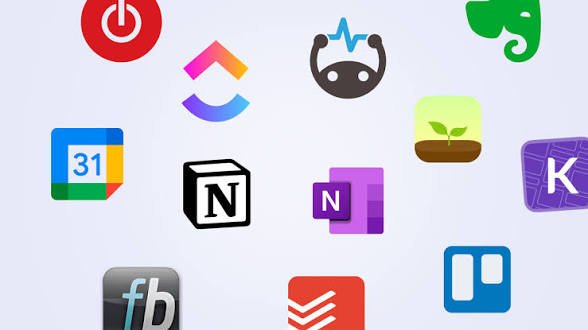
Staying organized across coursework, side hustles, and early career responsibilities is genuinely hard without some system in place. These ten apps cover the core needs — task management, note-taking, focus, and scheduling — and most have solid free tiers, which matters if you're managing data costs.
1. Google Calendar
The simplest, most reliable way to keep track of classes, deadlines, and meetings in one place, with reminders that sync across your phone and any computer you use. Setting recurring events for weekly classes or regular commitments saves the effort of re-entering them constantly.
2. Notion
A flexible workspace for notes, task lists, and project planning, popular among students for organizing course notes and among young professionals for tracking freelance projects or job applications. It has a learning curve, but its free tier covers almost everything an individual needs.
3. Google Keep
For quick notes and short checklists, Google Keep is faster and lighter than Notion, useful for capturing a thought immediately without navigating a more complex app. It syncs instantly across devices and works well even on a modest data connection.
4. Todoist
A dedicated task manager that's cleaner and more focused than trying to manage tasks inside a note-taking app. Its free tier supports enough projects and tasks for most students and early professionals, with reminders that actually nudge you rather than getting buried.
5. Forest or Focus To-Do
For anyone who struggles with phone distraction while studying or working, these apps use timed focus sessions (often based on the Pomodoro technique — focused bursts with short breaks) to build concentration habits, with visual or gamified incentives to stay off distracting apps during work blocks.
6. Grammarly
Useful well beyond just catching typos — it flags unclear sentences, tone issues, and grammar mistakes in emails, assignments, and reports. The free version covers the essentials most students and young professionals need for day-to-day writing.
7. Google Drive
Reliable cloud storage that also protects you from the classic disaster of losing an assignment or project to a crashed laptop or lost phone. Working directly in Google Docs or Sheets, rather than only saving finished files, means your work is backed up continuously as you go.
8. CamScanner or Microsoft Lens
Turning your phone into a document scanner is genuinely useful for scanning notes, receipts, or forms into clean, readable PDFs, especially useful in Ghana where many processes still require submitting scanned physical documents.
9. Trello
A visual board-based tool for managing group projects or freelance work with multiple stages — useful for student group assignments or tracking freelance client work from "in progress" to "delivered," with a clearer visual overview than a plain to-do list.
10. Duolingo (for Language or Skill Consistency Habits)
Not strictly a productivity app, but genuinely useful for building the daily consistency habit that productivity ultimately depends on. Many people find that the discipline built from a daily language streak transfers directly into other areas — showing up daily on a task tracker or study plan becomes easier once the habit-forming muscle is exercised elsewhere.
Choosing the Right Combination
You don't need all ten. A simple, effective starter combination for most students is:
- Google Calendar for anything time-based
- Todoist or Notion for tasks and project tracking
- Google Drive for anything you're creating or need to back up
Adding more apps than you can consistently maintain usually backfires — an abandoned productivity app is worse than no app at all, since it creates a false sense that things are being tracked when they aren't.
Managing Data Costs While Using These Apps
Most of these apps are lightweight and don't consume much data during normal use, but initial downloads and syncing large files (like scanned documents or shared Drive folders) can add up. Downloading updates and syncing large files over Wi-Fi where possible helps stretch a mobile data bundle further.
Final Thought
The best productivity system is the one you'll actually use consistently, not the one with the most features. Start with two or three apps that cover your biggest organizational gap, build the habit of checking them daily, and only add more tools once you've outgrown what you have.